
So I tested some playback on the GH2 with this mini-lcd, but that wasn't the test I was hoping for when I first got this LCD. The Panasonic GH2 will only output in recording mode through the HDMI. It can only 'playback' through Composite. The Canon cameras can output from Composite, so I brought in the AV cables that are provided in the box. It's great to see that the LCD actually scales the input properly too. Something else that's pretty cool. When the Canon is displaying the Live View, it doesn't use the entire 3.5" LCD. Why is that cool? Because I threw on one of those magnetic frames for my LCDVF for 3" LCD's and it's just about a perfect fit over the displayed image.


The tests with the Canon 60D are awesome, and much more than I expected from a sub $26.00 dollar LCD. It's definitely usuable for my DIY EVF ( Electronic View Finder ) Project. Might not be compared to other EVF's (coming) on the market, but for under $26.00 dollars, i'm not complaining. It does what I need it to do for now. My plan now is to mount a 1/4x20 Nut to the rear of the LCD and use a Friction Arm to position it wherever I want. [Update] Did it.

This should also work perfectly with my GoPro HD camera as well, since the GoPro lacks it's own LCD. Here's another cool little kicker, since you're all wondering how it's powered up. As I expected, it doesn't even require 12Volts to run. I attached it to a simple 9Volt battery. Yes 9 volt battery people, that's all it takes to power this bad boy up. One thing I was noticing though is that the exposure wasn't as good with the 9 Volt battery. I think even though it turns on, it's under powered and causes the display not to look as good as it can be.

If you're searching for this mini monitor too, this is how the LCD looks (below). It's a bit confusing since resolution is listed differently depending on the auction, but I think they are all the same. It's a 3.5" LCD with Composite input. If you see one like this, it's probably it. More to come with these Mini-LCD's from Cheesycam for sure.....
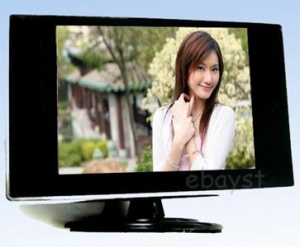
 Mini LCD Monitor with 960×480 Pixels
Julian
yes i think it does because it works with my television and my computer too and i think this lcd is very similar to this..
Thanks!
Emm
Post author@Julian - If yyou camera supports live video out, yes this will work.
julian
hey, i got a question.
i have a sony vx1000 camera and it has an av output. with this output i am able to connect it with an av cable to my television and watch some filmed stuff or get a live view. is it possible to connect my camera with this cable to such a mini lcd and get a live-view? it would be very cool if this worked because my viewfinder ribbon cae is broken and i need a view to check focus and other settings.
Emm
Post author@patrick - It may not have enough voltage. These are designed to use 12V, and the LP-E6 is less.
patrick
@emm would this work with a lpe6 battery voltage wise? i have seen a few cheep adapter plates like this one
https://www.coollcd.com/canon-lpe6-battery-plate_p845.html
Emm
Post author@Lukas - Try a fresh 9V battery (good one not cheap one). If it still doesn't work, try the recommended 12V through another battery.
Lukas
Hi Emm, I've got an Question: I just bought that Display:
https://www.ebay.de/itm/160784845873?ssPageName=STRK:MEWNX:IT&_trksid=p3984.m1497.l2649
And i wanted to use it with my 60D, but when i turn it on the Screen is just white, even when i connect it to the Camera. I connected the white and yellow cable and used a 9V battery just like you.
Do you know that problem?
Thanks
Jake
I've been thinking of doing this with a replacement 5D LCD monitor so should be accurate for exposure and colour:
https://www.ebay.co.uk/itm/Canon-EOS-5D-SLR-LCD-DISPLAY-SCREEN-MONTIOR-NEW-PART-/330509191592?pt=Digital_Camera_Accessories&hash=item4cf3e209a8#ht_5180wt_1180
This with a cheap optical view finder and micro magic arm I imagine would be pretty good but I do not have to knowledge for wiring from that connector to a Mini HDMI or a video cable
Any ideas?
yves
Anyone use the lcdvf on this? How is it?
Thanh
I found this 4.3 monitor to be super good. I just got it in today and test it out. I much brighter and sharper than my lilliput 668 through composite. it listed as 800H x 480V i was skeptical as first that false advertise but i'm happy for now. after 3 hours of playing around it did have the screen of death on me(white) so what i did was pull the power and plug it back in and i'm back to business. I'm currently run the lcd non stop now to see how it with stand. I'll be back and posting my test result soon.
This is the only LCD monitor that i found that have 800x480 https://cgi.ebay.com/ebaymotors/P146-New-4-3-Digital-TFT-LCD-Color-Car-Monitor-/270785993940?pt=UK_Audio_TV_Electronics_In_Car_Entertainment_GPS_In_Car_Audio_Players_PP&hash=item3f0c1a5cd4#ht_3191wt_1017
Emm
Post author@Richard - I would pull that base off, and permanently epoxy a cheap ball head to the back. Use that 'quick steel putty' epoxy. You shape it like clay, hardens like steel and you'll have a nice little mount. Check these out https://photography.shop.ebay.com/Cameras-Photo-/625/i.html?_nkw=mini+ball+head&_catref=1&_fln=1&_sc=1&_sop=15&_trksid=p3286.c0.m282
Richard
hey emm. ive looked into these as a lightweight monitor to attach to my flycam nano. do you know of any clamps that could mount it on the lower base?
imgpro615
[update] ...mine came in a couple days before i shot a comic/anime convention in Memphis...it is styled a bit differently but actually did the job just as well...i used it with and without my carryspeed loupe...positioning of the stickyframe is key cause it CAN cover some info in the fringes...but for the savings...whoop ti dew!! Emm, you are brilliant...thanx for the tip!
imgpro615
this lil bit of awesomeness-ness is on the post-'lil mama' birthday[-get back to gettin gear] list maybe a couple
Emm
Post author@Andrius Lithuania - Looks good.
Andrius Lithuania
@Emm - Watch what I found : https://cgi.ebay.com/1-5M-High-Speed-Mini-HDMI-5-RCA-Audio-Video-AV-Cable-/120737119301?pt=LH_DefaultDomain_0&hash=item1c1c7e3c45 . I think that is good way to join this LCD https://cgi.ebay.com/4-3-TFT-LCD-Car-Reverse-Monitor-DVD-VCR-CCTV-Camera-/250722283201?pt=LH_DefaultDomain_0&hash=item3a60366ec1
 to 7D camera. Thanks, I try to buy that.
Emm
Post author@Andrius Lithuania - No HDMI, but I believe the 7D still have AV out through component.
Andrius Lithuania
Hi,
Can I use it with canon 7D? It is possible to conect with HDMI? Thanks
Alex
not sure if anyone has looked at this recently, but would it be possible to hook this up to 8 D batteries? that would add up to 12v. also, https://www.venom-group.com/itemdesc.asp?ic=1551 is a possible solution to power this too.
Steve
@Emm ^^^What Ruben said^^^
Ruben
@Emm Could you show us how you fixed the 1/4×20 Nut to the rear of the LCD? 🙂
Pingback:
Sub $30 Dollar 4.3″ Mini LCD » CheesyCam
Emm
Post author@Alex - Can you throw up a video on how it looks? Thanks.
Alex
Ok, so I got my new monitor and it is working great! 😀
It is running on 12v (8xAA) This one is way more robust than my previous one 🙂
Jason
I hooked mine up to one of those car battery jump start deals that was fully charged. I'd think it could draw however much power it needed from that?
jamie
what monitor is that?^
Alex
Hmm, tried with a 15volt almost melted my wires (it got really hot!) :S
I now realize it was a 1A (1000mA), maybe a bit too much 😛
However I will shortly recieve another monitor, higher resolution and bigger screen (4,3") which looks a bit more robust with a powersupply matching SKs criteria 😉
sk
it's all about the voltage! if the screen fades to white, the battery is at the end of its lifespan. 9v is just too low. that is also the reason why some of you had issues with stripes and flickering. if you can get a good 12v power supply with around 500mA you will be very happy.
I had the same issues. since I changed the battery to the power supply, the picture is just perfect. especially when you were pissed at the beginning. Finally I'm very impressed by this little monitor.
Thanks cheesy for the tip!
Alex
Tested my screen on the GoPro again and this time it didnt -.-
It looks like the screen or some cables have been damaged since I get a picture covered by white horizontal stripes.
But I got the white screen as well, but if I play with the wires on the battery poles it shows at least a halfbroken image :S
jamie
just got my second monitor from a usa seller, and no luck. still a white screen
albert
i think the problem is that the monitor is ment to use 12v not 9, im curently using a RC car battery taped to the side of mine and it works perfectly, its almost like a grip from a camera
Jason
I tried my 7D and a GoPro and get white screen only no matter what. Plug either one into my 23" LCD and they work just fine.
Kevin
Just got mine, it works with wall adapter, but 9v battery is just not enough, it blinks on and off with the battery.
I would not recomend this, but I plugged 2 9v together (18v) and it worked, I was lucky I didnt blow it up.
I'll be sticking with AC power for it untill I can think of a small battery solution.
j hanna
I'm using a 12v adapter power supply that you plug into the wall.
https://cgi.ebay.com/ws/eBayISAPI.dll?ViewItem&item=140489934903&ssPageName=STRK:MEWNX:IT
I don't have any 9v's around. It seems a lot of people (in the comments section) are having a similar issue.
humph. i got all jazzed about it too.
but on a happier note
I bought one of these clamps
https://cgi.ebay.com/C-Clip-Clamp-Holder-Mount-Studio-Backdrop-Camera-/120640057121?pt=LH_DefaultDomain_0&hash=item1c16b52f21#ht_2445wt_1092
and a cheap ballhead. tightened it onto my express35 shoulder rig and put a zoom h1 on it. WORKS GREAT!!!
albert
it works fine on my go pro an my t2i
Alex
I have tried a 9v battery as well as 8x1,5v AA diy powerpack 😉 Strange it worked so well on the GoPro which is at my friends house, when I came home and tried with the t2i the screen is just a mess :S
The menu loses all its letters after 2 sec as well :S
Emm
Post author@J Hanna - Only tried on my 60D which is the same cables for T2i. What power source are you using?
J Hanna
yep. tried it with every piece of tech in my house with a video source out. white screen.
A friend of mine has a 60d. When she gets back into town I'm going to try it with her camera.
This many people can't just be doing something....wrong....our monitors must be bad.
Emm,
When you plug your 3.5 inch monitor into your t2i does it work?
Alex
same problem here, but it worked perfectly fine with my gopro :S
On my 550d it blinked white, if I messed about with the cables around the batterypoles I saw zebra stripes, dark stripes with picture and white with only white :S
What can be wrong?
Emm
Post author@J Hanna - have you tried it with another video source?
J Hanna
Same issue. Plugged it into the camera, plugged it into power source....powers up and turns white.
Just a bum product...Some monitors work, some don't.
I just contacted the seller to return mine.
I was all pumped about it but now I think I'll try a 7 inch portable tv... should work the same... maybe?
jamie
mines DOA too 🙁 I've gotten the screen to flikr and turn white but never get a good solid input
Hunter Lyon
I read somewhere on the listings that you need a video source to power it up, did you trying plugging it in to both a power source and a video source?
-Hunter
Jason
Seller wants me to ship mine back too. I can't imagine we're doing something wrong. I gave it 12v, 9v, video on either input, pushed the buttons... the thing is just DOA.
John
still not powering up. I emailed the seller and he told me it only works with a car's back-up camera..... i think i might just give up on this without even bothering to ship it back.
Anyone know how to power this up? some photos or videos of how to do it will be greatly appreciated by many on here, thanks! 🙂
Jason
I just got mine--it's DOA too. Won't power up no matter what I do with it. Tried a 9V battery, tried a 12V battery, tried a 12V wall adapter. Also it didn't match the description, this one has a Menu, +, - buttons on the back, where the pictures show Contrast, Brightness, U/D L/R. I'll post if they come back with any kind of solution, but my guess is they'll want me to ship it back and I'm not going to throw any more money after this.
Liu
@John, I had the same issue...Have you resolved yours??
John
I did what you show in the photo, connecting the black thin wire to 9V battery but the thing still doesn't power up. I will contact the seller and see what's up... Thanks, Emm!
albert
now that i think about it you dont really need a hoodman but it would help..alot
albert
i tried it out on my t2i and its okay, i mean it not great but you can tell whats in focus and whats not, you will need a hoodman lcd viewfinder type thing if you going to atempt it but her its only $26 you can really loose
Graeme
@albert, how is it for pulling focus?
Emm
Post author@albert - I didn't get around to testing mine yet, are you planning on posting some images or a video of it in use? Thanks.
albert
i got one for my go pro and it works great ,just need to get a new housing now
Graeme
the resolution can't be high enough to pull focus though...can it?
Emm
Post author@Paul - I'm out of the studio for a bit. I'm in CES Vegas. Also, I haven't upgraded my GoPro firmware yet. LOL. I don't see why it wouldn't work, it's a generic monitor. If it can take the Canon output, it should take the GoPro as well.
Paul
Seems really perfect for the GoPro HD, You mentioned it but have you had a chance to try it yet?
GW
what do people think about using the larger sized one as a regular monitor option?
Simon
As soon as you mentioned this monitor, I knew from past experience to order one right away before they disapear. The option to flip the picture left/right and top/bottom can be very usefull in some circumstances.
Thanks Emm!
Rabby
This is Great. I am getting one. Hopefully it should work with 7D.
Thanks
Emm
Post author@Havard - If it can run off a regular 9 volt battery, then it's possible it can. The question is, for how long?
Havard
Stupid question from me: Would the LCD run off an A23/GP23 12 Volt battery (like the ones used in garage door openers)?
Emm
Post author@Olphus - Yes it has Brightness and Contrast buttons with a few different stops of each.
Olphus
Does your lcd have a brightness and contrast buttons at the back?
Emm
Post author@Liu - Used a 1/4x20 Nut and Glued it to the back. Then screwed it onto the friction arm.
Liu
@Emm, how did you fix the friction arm to the back of the 3.5" LCD?
Emm
Post author@Tom - I don't have a Nikon D7000, but it's just a mini monitor that accepts composite in. If the Nikon can output via Composite, I guess it could.
Tom
would this work with a nikon d7000?
Chris Duke
I bought the $34 960x468 from DealExtreme (total cost incl shipping was $34.47). I'll let you know how it works out... am thinking of using it for my jib or possibly a field monitor if it's sharp enough to pull focus.
Emm
Post author@Brian - I was trying to get the smallest LCD possible to add a 'loupe' to it and wanted the smallest and lightest footprint. I guess those other ones might be good too, never tried it.
Brian
I see these are available in 4.3" and 7" versions. Any reason you didn't opt for those?
Justin
@George Good catch! It looks the close to me... interestingly enough, that listing is $34 for a 960x468 resolution, while there is also another that looks the same for $22 that lists 320x240 resolution....
$22 320x240 version: https://www.dealextreme.com/details.dx/sku.49796
$34 960x468 version: https://www.dealextreme.com/details.dx/sku.39044
The more expensive version is listed as heavier... and the cases look slightly different (the $22 model has buttons on the back for adjusting brightness and contrast, which matches the cases I'm seeing on eBay)
Another thing of interest with the $22 model is that it lists the power requirement as 8-15V, for those of you toying with alternate power sources.
Emm
Post author@5D Mark II Team - This was the seller I bought from, but wiped him out https://stores.ebay.com/?=whseller88
Emm
Post authorI think it has a very poor speaker built in. Not that it can actually be heard.
Justin
@Emm
"one is video, one is for audio, and one is the power cord."
Is this just so the audio cable isn't left hanging there? What does this tiny rear-view LCD do with an audio input?
5D Mark II TEAM
Very cool post.
Love your DIY projects and solutions, indeed!
If you could tell us what is the eBay seller or exact item ID you bought, that would be much appreciated.
Thanks a lot for sharing.
-5D2Team
Emm
Post author@Paolo - yup it should.
Paolo
Great info!
It should work with the 7D as well right?
Emm
Post author@John - yes, standard composite cables would work to extend.
Emm
Post author@Olphus - it may not be 960. The listings are all inconsistent. I believe they are all the same, possibly only 320.
Emm
Post author@Kevin - one is video, one is for audio, and one is the power cord.
Emm
Post author@Mike - through the composite, It can't display HD, so it's already at SD.
Emm
Post author@Daniel - Yeah I hear ya. Still quite nice for indoor $26 dollars for my use.
Emm
Post author@Gabriel - listings seems to be inconsistent, but I think they are all the same. The listing I bought from said 960 so I took a chance. Someone mentioned they could have just been adding up each R,G,&B pixels making it into 960.
Emm
Post author@JR - I guess you could, but that would be extra weight. I would just use a 7" LCD at that point. I was trying to go for super simple and light.
Emm
Post author@Graeme - I have to do more testing. Maybe I can take some stills.
Graeme
i'm quite tempted to try this to see what can be done with it.
how bad is the screen when running on the 9 volt?
JR
@ emm, one more thing, couldn't u use a hdmi to composite converter for the GH2??
JR
Dude, you r amazing. Will be building an EVF next week
George
Hey is that the same LCD?It seems so and it would be cool since dealextreme ships worldwide for free.
https://www.dealextreme.com/details.dx/sku.39044
Gabriel
U sure it's 940 x 480? All i've found is 640x480
Daniel
Hi Emm, I work in China (where all these are coming from) and you should know that no matter what they write, these are all 320x234 which is pretty low especially if you're using LCDF, might be good as an small external monitor just to know what the camera is looking it.. but I wouldn't try to pull focus with it 🙂
You'd also often see some of these advertised as 960x240 but what they actually mean is 320*3(R,G,B)*240, higher resolution LCDs are expensive and just don't come in these prices, so you can safely ignore any resolution they state (640x480, 960x240, 960x480 etc).
These LCDs were originally sold in China with a small camera that attaches to the back of your car to help you see what's behind.
Just FYI for anyone falling for their resolution descriptions 🙂 I still think its worth it as an external cheap solution.
Mike
Hey Emm,
The T2i down converts when you record with the HDMI correct? Does it do this when you use the composite out? I was just curious cause I always hear people using HDMI monitors, are those higher quality or something?
Kevin
Saw them as low as 24$ US.
Looks like they have 2 video inputs, any idea how to take adavantage of that?
Olphus
I can't find a single listing with 960x480. What seller did you get it from?
Is it possible to remove the swivel base plate?
John
Forgot to ask... if I use this with Crane set up, do I need any extra cord from this LCD to camera (would the cord that comes with LCD be long enough once camera is on the crane)? Thank you, Emm!
Emm
Post author@John - yeah it would be. Most of the time, exposure is locked in, and focus is pre set. Then you just need something for framing...This LCD would work great and very portable. Also, for my palo alto adapter, I can get overhead footage.
GPSChnyder
Hi Emm,
Just looked through Ebay, but couldn't find a LCD with 960x480. Could you tell us the seller, or what to look for?
THX, George
Emm
Post author@Damien - not sure, just started testing it.
John
Seems like a perfect tool for your crane?
Damien
Very nice. How long does it run for with a single 9 volt?